πŸ»β€β„οΈ Say hello to the PolarBoard Notetaker

The team workspace that takes its own meeting notes.

Messages, tasks, kanban boards, chat, files, and a shared calendar - plus an AI notetaker that joins your calls and turns conversation into action items. Simple on purpose.
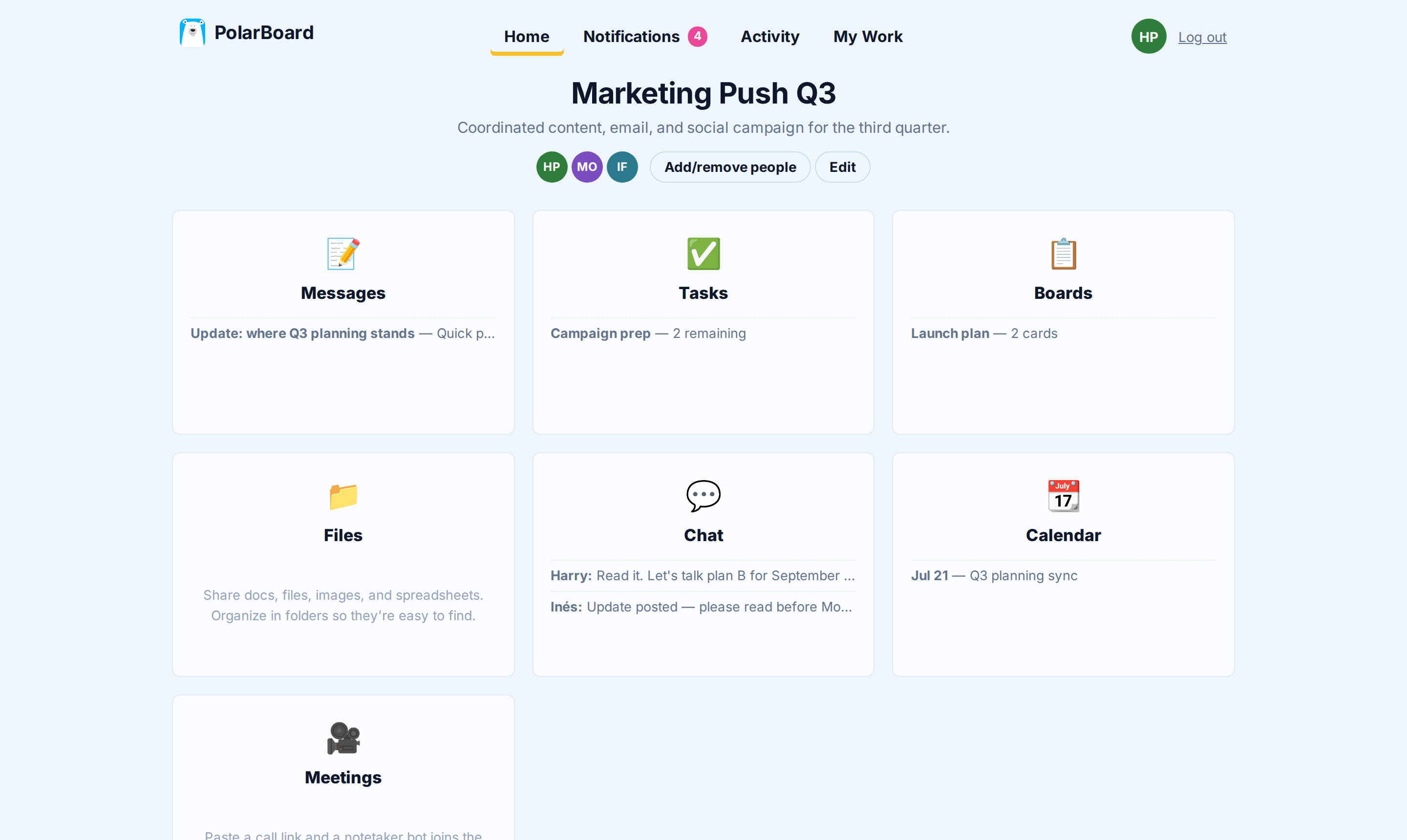
A PolarBoard project with Messages, Tasks, Boards, Chat, Calendar and Meetings tools

One login. Zero plugins.  πŸ“ Messages Β· βœ… Tasks Β· πŸ“‹ Boards Β· πŸ’¬ Chat Β· πŸ“ Files Β· πŸ“† Calendar Β· πŸŽ₯ Meetings

Every project gets the same six tools.

No setup, no templates to choose, no wrong way to start. Open a project and everything is already there.

πŸ“

Messages

Announcements, ideas, and questions that stay on topic - every discussion in one thread, not forty.

βœ…

Tasks

Lists with assignees and due dates. Overdue turns red. Ticking things off feels as good as it should.

πŸ“‹

Boards

Kanban for work that moves through stages. Drag cards, rearrange columns, get on with it.

πŸ’¬

Chat

For the quick stuff. Casual by design, grouped by day, and out of the way of real decisions.

πŸ“

Files

Written docs and uploads side by side, so β€œwhere’s that file?” stops being a daily ritual.

πŸ“†

Calendar

Milestones, reviews, and launches on one shared timeline everyone can actually see.

πŸŽ₯ Meetings

Paste a link.
The bear does the rest.

  1. Paste your call link. Google Meet, Zoom, or Teams - any of them work.
  2. The Notetaker joins. It knocks, someone lets it in, and it quietly listens.
  3. Notes write themselves. A live summary - decisions, action items, owners - updates while you're still talking, and lands in the project when you hang up.

No recordings to scrub through. No β€œwho was taking notes?” Nobody typing instead of thinking.

Take the full meetings tour β†’

In call - taking notes Weekly design sync

TL;DR

Locking the pricing page design and confirming the launch date.

Decisions

  • Ship the version with the comparison table
  • Launch stays on August 18th

Action items

  • Mia - final copy to Sam by Friday
  • Sam - set up redirects this week

πŸ“‹ Boards

Kanban, minus the
seventeen settings.

Columns and cards. Drag one to the other. Add notes and an assignee when it matters. That's the whole feature - because that's the whole job.

Boards live inside your project next to everything else, so β€œdone” on the board and β€œdone” in real life stay the same thing.

To do 2
Brief the support team
Draft launch email
Doing 2
Write launch announcement M
Pricing page final pass S
Done 1
Set up staging

Nothing slips past the bear.

Three account-wide views keep everyone honest without a single status meeting.

πŸ””

Notifications

Everything that happened in your projects since you last checked - posts, comments, completions, meeting notes.

πŸ“ˆ

Activity

The whole story of every project, day by day. Perfect for catching up after a week off.

πŸ™Œ

My Work

Your assignments across every project on one page, so the day starts with clarity instead of tab-hunting.

Simple is the feature.

No modes. No plugin marketplace. No settings maze. Six tools per project - the ones your team actually uses - and nothing else to learn, administer, or ignore.

Bring the whole team aboard.

Set up your first project in about a minute. The bear's ready when you are.

Create your account